
Salvage in progress
Lost bitcoin,
found on phones worldwide.
Join the challenge. The search for a locked wallet's key is divided across the devices of everyone taking part. When a key is found, everyone who helped receives a share.
UNDER SALVAGE
2wallets
TOTAL HOLDINGS
10,340BTC
DIVERS TAKING PART
35,762
Figures as of October 2026. The app shows the current status.
ABOUT
What BtcSalvage is
All over the world there is bitcoin that can be seen but not moved, because its password was lost. BtcSalvage divides the search for those keys across a large number of devices. We call the work digital salvage, and the people who take part CryptoDivers.
-
STEP 1
A request comes in
The owner of a wallet whose password has been forgotten asks us to help, and it is registered as a target.
-
STEP 2
The search is divided
The server hands out password candidates of 4 to 11 characters, and participants' devices test them. Points build up with every attempt.
-
STEP 3
What is found is shared
Once a key is found, the reward agreed with the wallet's owner is distributed in proportion to points.
FEATURES
What you can do in CryptoDiver
Crypto Diving
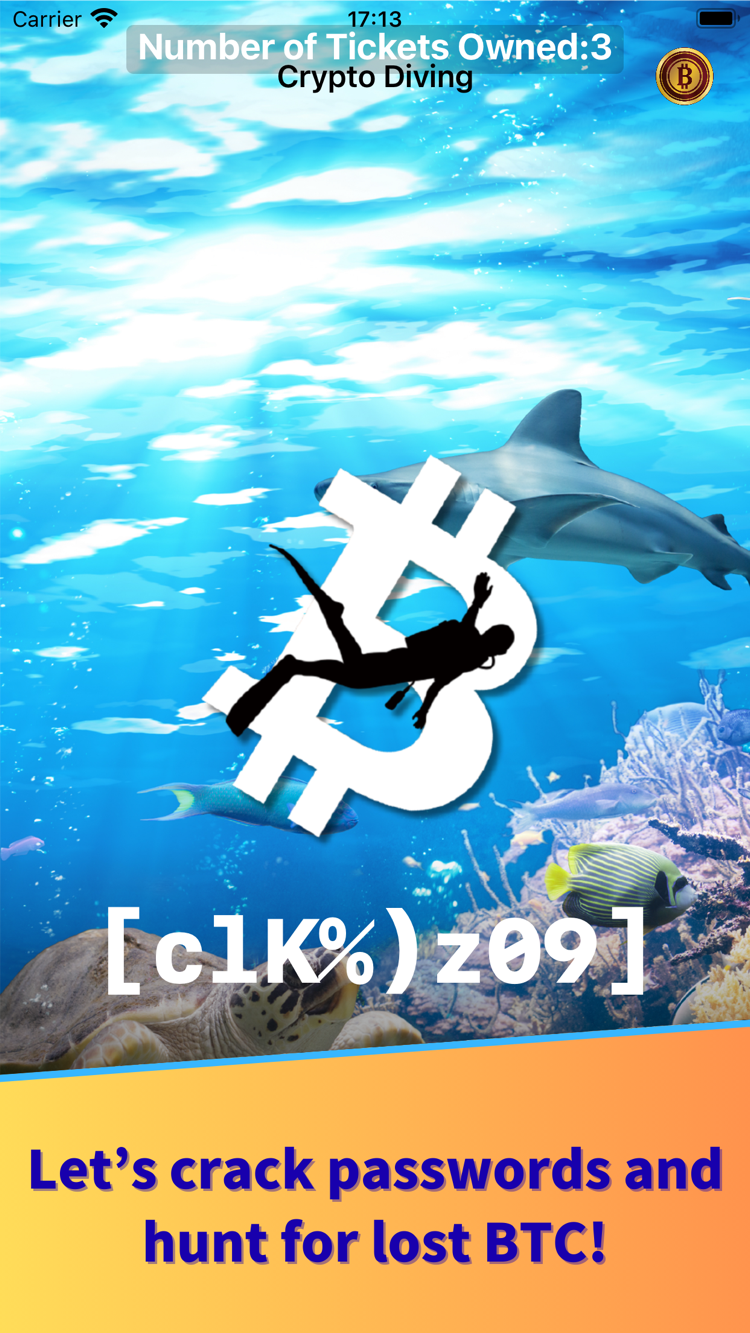
Test the analysis data sent from the server and earn Decryption Points. Now and then you will find a crypto, which turns into points or an item once decrypted.
Diving Item
One ticket, one dive. When you have none left, watch a video for a chance at more. A Diving Pass lets you dive for a month without tickets, and a Drone Ticket puts a dedicated server to work around the clock.
Crypto Exchange
Ask for a crypto you found to be decrypted. On success it becomes a Bonus Crypto or an item. Tickets and passes are bought here too — the lineup changes daily, but Diving Tickets are always in stock.
Your Rank
For each wallet being worked on, the top 50 divers and your own position are listed, with country flags and diver names.
Referral codes
Scan a friend's QR code to register them as your referrer. Both sides receive bonus points.
In-app support
Write to us from inside the app, with screenshots attached. Your operation log comes along automatically, so the problem reaches us accurately. Passwords and anything you typed are not included.
REWARDS
The more you dive,
the larger your share.
Points build up with every search. When a key is found, the reward agreed with the wallet's owner is divided among all divers in proportion to their points. The share of the holdings is set per wallet.
- The more points you hold, the larger your share
- Bitcoin is paid as compensation for the analysis work
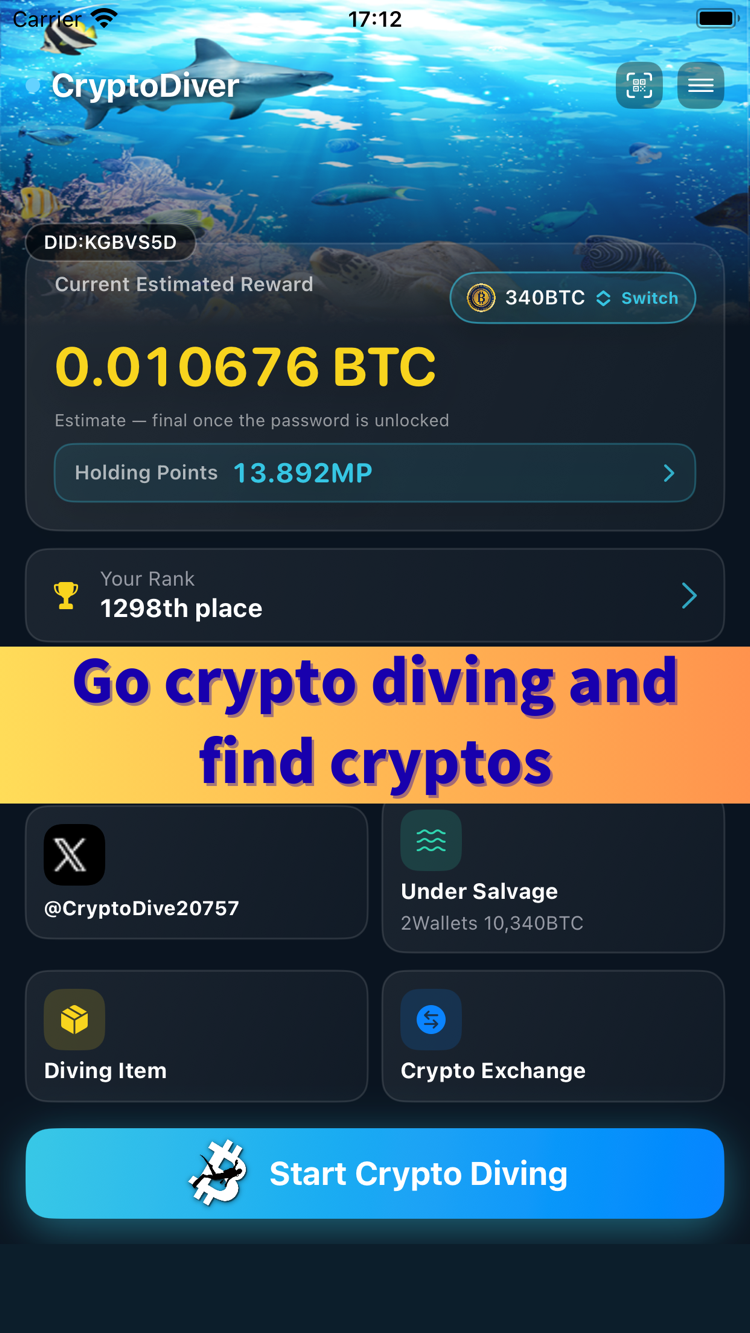
- Your estimated reward is always visible on the app's home screen
Current Estimated Reward
0.010676BTC
Estimate — final once the password is unlocked
MP stands for mega point (one million P). Example figures; your own are shown in the app.
Do you own a wallet you can no longer open?
You can ask us to look into whether it can be unlocked. Requests are made from the CryptoDiver app, for wallets you own yourself. We mainly work with Bitcoin Core legacy wallets.
MORE POWER
More devices searching,
the sooner a key turns up.
There are an enormous number of password combinations to try. The more devices searching at once, the faster the work goes and the more points accumulate. There are three ways to add power.
Bring in friends
Whoever registers a referral code receives a Referral Bonus, and the referrer receives 10% of their buddy's analysis points as bonus points for six months. Bonuses are granted once the account is confirmed to be genuinely in use.
Add a device
An add-device code lets you use the same account on more than one device, so you can dive that much more often.
Rent a Crypto Drone
A program that runs on machines we operate, searching around the clock. Rent one through an in-app purchase, or earn a ticket from a crypto you found while diving.
COMING
A drone you can run on your own Windows or macOS computer is in development. As more people take part we can run more drones, which shortens the road to an unlocked wallet. We are also considering a monthly referral ranking and a special bonus when someone you introduced finds a key.
GET STARTED
Getting started
There is nothing to sign up for. Install the app and you can begin straight away. A Diver Name is assigned automatically, and you can change it to whatever you like afterwards.
-
1
Get the app
Download it free from the App Store or Google Play. It runs on both iPhone and Android.
-
2
Choose "Start as new"
No nickname and no password to enter. You go straight to the home screen.
-
3
Start diving
Tap "Start Crypto Diving" on the home screen to join the search. If you have no tickets, watch a video for a chance at some.
Keeping your account safe
Because there is no password, codes are the only way back to your account. Use a transfer code when you change phones, an add-device code for a second device, and a recovery (backup) code in case a device is lost. Recovery codes do not expire, so issue one before you need it.
Using a recovery code deletes every diving item left on that device. To carry your items across to a new phone, use a transfer code instead.
FAQ
Questions we are often asked
What do I need to sign up?
Nothing at all. Open the app, tap "Start as new", and you are on the home screen. There is no email address, no nickname and no password to enter. A Diver Name is assigned automatically and you can change it later.
Where do I set a password?
You do not. Accounts created with "Start as new" have no password; one is managed automatically on the device. To move to another phone you use a code instead. If you reinstall the app, a welcome back screen lets you return to your account.
How do I change phones, or use a second device?
There are three codes for different purposes. A transfer code moves everything, items included, to a new phone, after which the old one can no longer be used. An add-device code lets both devices work (items stay where they are). A recovery (backup) code is insurance against loss or damage; what it restores is your account, and using it deletes every diving item left on that device, so use a transfer code when you want to keep your items. All three are issued from the side menu of the device you already use.
Can I take part without paying?
Yes. The app is free to download and to use. When you are out of Diving Tickets, watching a video enters you in a draw for more. You can also buy tickets in the app if you prefer.
How long do I have to enter a referral code?
Thirty days from the day your account was created. Open "Register referral code" in the side menu and scan the referrer's QR code. Once registered it cannot be changed or undone.
My referral bonus has not arrived.
Referral bonuses are not paid at the moment a code is registered. They are granted once we can see that the account is genuinely being used. This guards against people creating large numbers of accounts purely to collect bonuses. If it still has not appeared after a while, please write to us from the app's support screen.
What is a "crypto" that turns up while diving?
It is a piece of encrypted data that appears now and then during a dive. It is not cryptocurrency. Ask for it to be decrypted at the Crypto Exchange and it becomes either a bonus crypto or a Diving Ticket. A bonus crypto, once registered, is added to your holding points. Decryption can fail, and some cryptos disappear with time, so it is worth submitting them early.
Does whoever finds the key receive more?
The diver who finds a key receives bonus points equal to 10% of all points issued. Where a Crypto Drone made the find, they go to the diver who owns or rents that drone. Each diver's share is then worked out against the new total, so everyone who searched is rewarded in proportion to the points they built up.
When is the reward paid?
After a key is found we verify the password together with the wallet's owner and confirm that it does in fact open. We then notify every diver who took part and accept claims from each of them before paying out. A notice appears in the app when distribution begins.
Can I ask you to salvage my own wallet?
Yes, for a wallet you own whose password you have lost. Choose "Submit a Salvage Request" from the side menu of the app. We cannot accept requests for wallets belonging to someone else.
We mainly work with Bitcoin Core legacy wallets (the traditional format using wallet.dat). Hardware wallets, phone apps, exchange wallets and anything managed with a seed phrase are a lower priority, even where we are able to take them on. See Submit a Salvage Request for details.
How do I remove my account?
Choose "Remove Account" from the side menu of the app and you can delete it yourself. Points, items and profile information are all erased and cannot be restored. See Removing your account for the steps.